Stripe, our checkout provider, uses Link for faster checkout. Link is a service created by Stripe to store credit card information to make future purchases simpler.
Unlike other services, Link does not default to email your receipt. Rather you must sign into your account and turn this On.
Here's a step-by-step:
| Activating Purchase Receipt Emails |
• Visit the Link services using the following web address: https://link.com/• Login using the same credentials you used to set up your Link account
|
Screenshot Guides: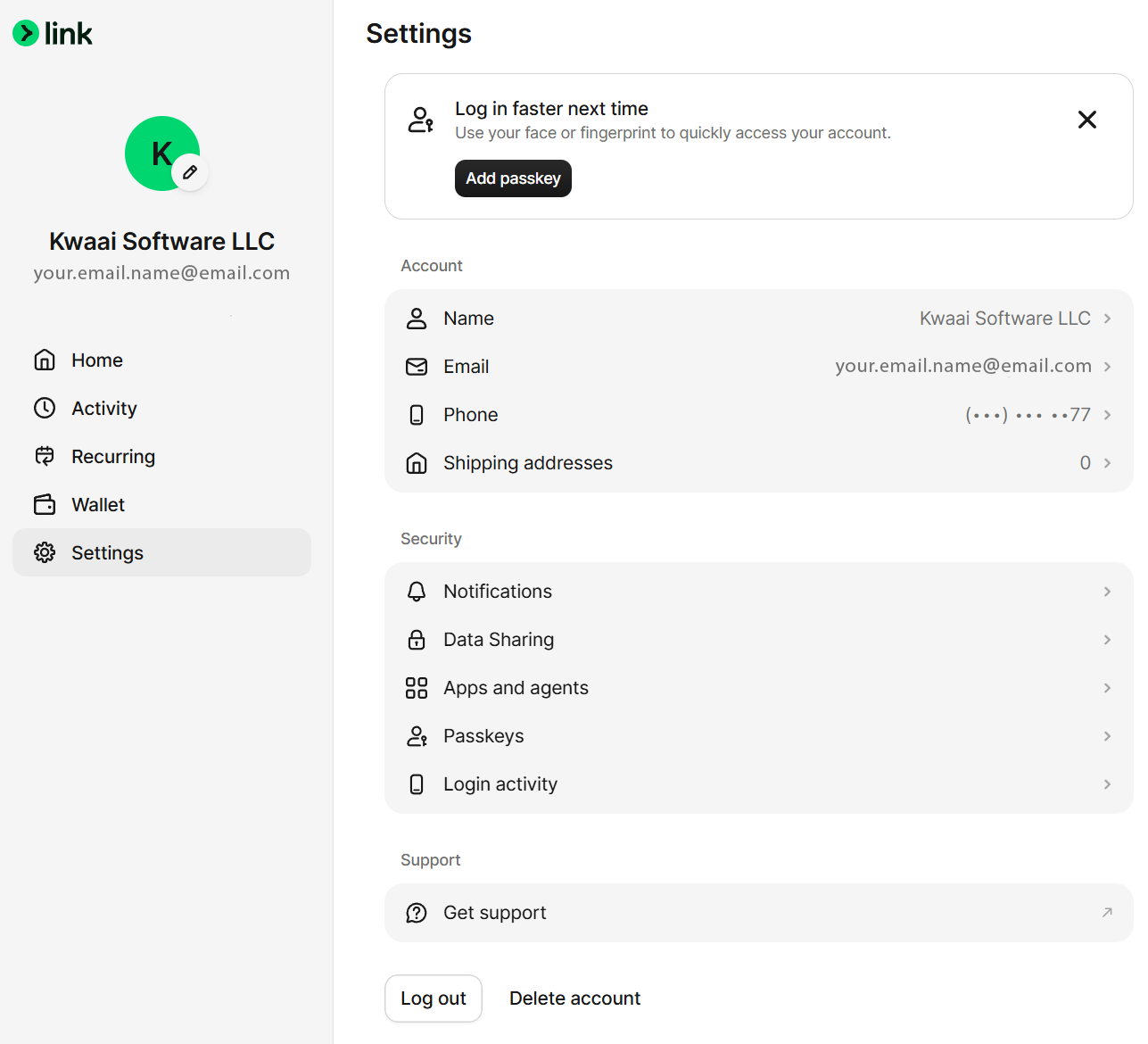
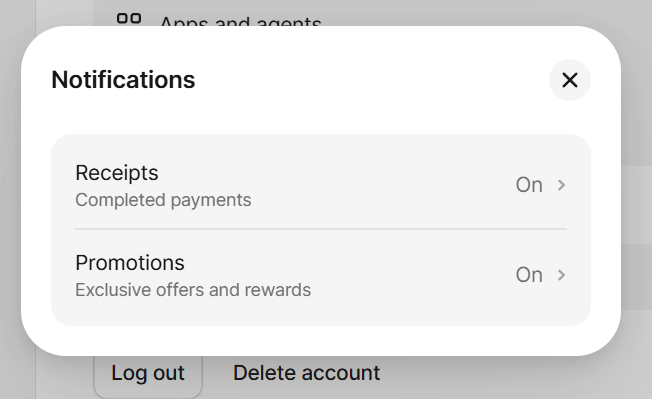
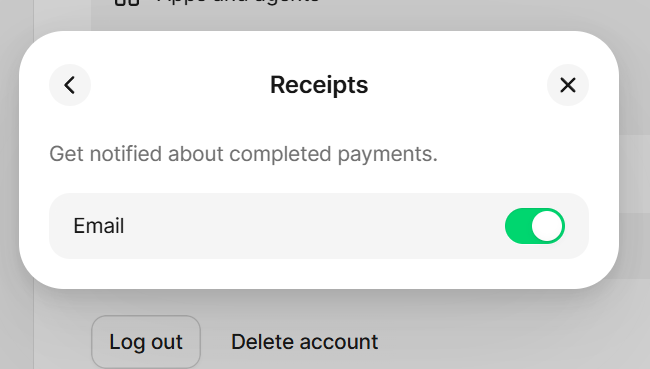
Was this article helpful?
That’s Great!
Thank you for your feedback
Sorry! We couldn't be helpful
Thank you for your feedback
Feedback sent
We appreciate your effort and will try to fix the article